Download
Download Wombat Trainer.
The Windows and macOS versions are available in your dashboard after you buy a licence. Choose the version for your computer.
macOS (Apple Silicon)
- OS
- macOS 12 or later
- Processor
- Apple Silicon
- Memory
- 4 GB RAM
- Disk
- 100 MB
First launch
macOS
- Open the downloaded .dmg and drag Wombat Trainer into the Applications folder.
- Launch Wombat Trainer from Applications. We sign the app and Apple notarises it, so it starts with no warnings.
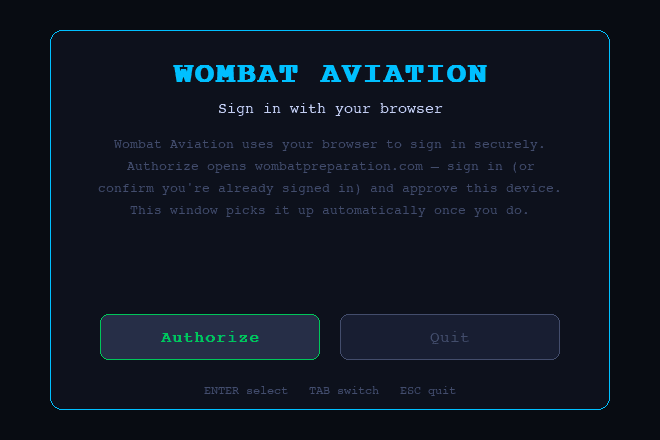
- The app opens your browser. Sign in there to approve the device.
Windows
- Run the downloaded .exe.
- If Windows SmartScreen shows a warning, click More info → Run anyway.
- The app opens your browser. Sign in there to approve the device.
The Windows installer has no Microsoft certificate yet, so SmartScreen warns you the first time. We are working on getting it signed.
A licence is required to download. Sign in to an account with an active licence to download the app.